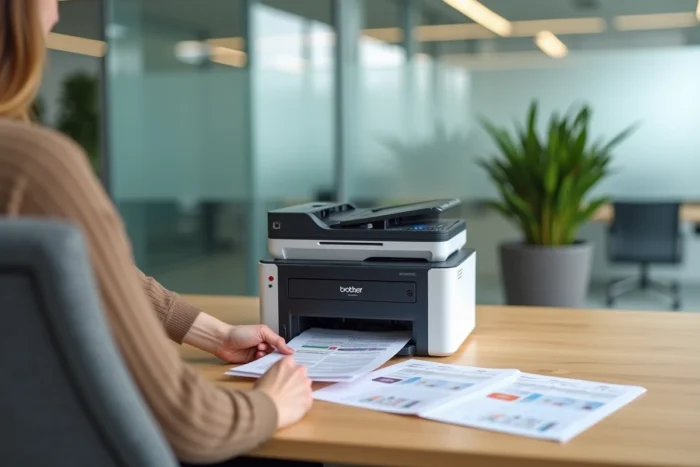
Comparing color laser printers for a small office often comes down to balancing print speed, cost per page, and footprint. The Brother DCP-L3550CDW fits into this niche with LED technology, complete network connectivity, and a 3-in-1 multifunction format. The next step is to determine whether its technical features justify this choice against the real constraints of a shared work environment.
LED and color laser technology: what changes in daily use
The DCP-L3550CDW does not use a conventional laser beam to charge the drum. It relies on a LED diode array that replaces the rotating mirror system of traditional laser printers. This mechanical difference has direct consequences on office use.
The LED mechanism has fewer moving parts. The optical path is shorter, which reduces the depth of the chassis and limits vibrations. For an office where the printer shares space with workstations, the noise nuisance is reduced compared to a conventional laser of the same category.
The print resolution reaches 2,400 dpi, a level that allows for producing sharp color documents on various media. Presentations, quotes, letters with logos: the output remains consistent without manual calibration. Before investing, it may be useful to explore the Brother DCP-L3550CDW in detail to check its suitability for your volumes and types of documents.

Technical specifications of the DCP-L3550CDW in comparison
To position this color printer within its segment, a table summarizes the specifications from the Brother manufacturer’s sheet.
| Feature | DCP-L3550CDW | Entry-level office segment benchmark |
|---|---|---|
| Functions | Printing, copying, scanning | Often 4-in-1 (with fax) |
| Technology | Color LED | Color laser |
| Print speed | Up to 18 pages per minute | 15 to 22 ppm depending on model |
| Resolution | 2,400 dpi | 600 to 2,400 dpi |
| Paper tray capacity | 250 sheets | 150 to 250 sheets |
| Accepted paper weight | Up to 163 g/m² | Often limited to 120 g/m² |
| Automatic duplex printing | Yes | Not always included |
| Automatic document feeder | 50 sheets | Variable (20 to 50 sheets) |
| Connectivity | Wi-Fi, Ethernet, USB | Common Wi-Fi and USB, Ethernet sometimes absent |
| Screen | 9.3 cm color touch LCD | Frequent monochrome screen |
| Starter toner | 1,000 pages | Often 500 to 700 pages |
Several points stand out from this grid. The accepted weight of up to 163 g/m² opens the possibility of printing on lightweight cardstock, which many entry-level models refuse. The 50-sheet automatic document feeder facilitates the scanning of multipage documents without manual intervention.
Wi-Fi and Ethernet connectivity: sharing the printer on a platter
The dual network connectivity (Wi-Fi and Ethernet) is not just a marketing argument. In an office of a few people, it allows for sharing the printer without a dedicated print server. Each workstation connects via the local network, and printing from a smartphone is also supported.
This configuration aligns with a sharing logic that ADEME recommends to reduce the carbon footprint of office equipment. According to an analysis cited by Orki, the manufacturing of a printer represents about 30 kg CO₂e at production, plus about 15 kg CO₂e per year during use for a standard office model. Sharing a single network color device instead of equipping each workstation individually mechanically reduces this impact.
The 3-in-1 model (printing, copying, scanning) also helps limit the number of devices on a desk. A separate flatbed scanner, a backup copier: these devices disappear in favor of a single connected unit.
Cost of consumables and starter toner for the DCP-L3550CDW
The toner supplied with the machine offers a starter capacity of 1,000 pages, in accordance with ISO/IEC 19798 standards. This volume exceeds the average observed on competing entry-level models, where the initial toner often covers fewer than 700 pages.
This difference is not trivial. It postpones the first purchase of consumables and allows for evaluating the color print quality on a realistic volume before investing in replacement toners. For an office that primarily prints text documents with occasional graphic elements, this initial stock covers several weeks of regular use.
Automatic duplex printing also plays a role in controlling costs. Paper remains a recurring expense, and reducing sheet consumption has a measurable cumulative effect on an accounting period.
Points to check before purchase
- The monthly volume recommended by the manufacturer, to ensure that the machine can handle the load without premature drum wear
- The availability and price of high-capacity toners compatible with this model, which determine the actual cost per color page over time
- The absence of an integrated fax function, which may be a drawback if your business still requires this transmission channel
The DCP-L3550CDW meets the needs of a small office with a few collaborators who regularly produce color documents without reaching industrial volumes. Its LED technology, 250-sheet tray, and complete network connectivity make it a suitable device for sharing. The generous starter toner and automatic duplex printing help keep operating costs down from the first months.